![image of a customer service representative (focusing on workspace) [background image]](https://cdn.prod.website-files.com/686ff0f42c677102ebc56fac/69d7a387565077f254293a05_278e41d44fe2195a99da9fe71fa82025-69d7a37b412f3.webp)
Last updated on:
April 9, 2026
Somewhere around the tenth time you plugged your phone into the USB port and immediately had the cord yank out of your hand as you tried to set it down, the thought probably crossed your mind: there has to be a better way. There is. And it costs about $30–$80.
Wireless CarPlay adapters are one of those products where the concept is simple — plug a small dongle into your car's existing USB port, pair it once, and from that day forward your iPhone connects automatically the moment you start the engine — but the execution varies wildly between brands. Some are fast, stable, and nearly invisible. Others are slow to connect, run hot, or drop out on the highway at the worst possible moment.
This guide cuts through the noise. We've researched the most-recommended adapters across car forums, owner communities, tech reviewers, and real-world long-term reports to give you a clear, honest picture of what actually works.
What to Look for in a Wireless CarPlay Adapter
Before getting into the picks, it helps to know what actually separates a good adapter from a frustrating one.
Connection speed is probably the thing you'll notice most day to day. The best adapters connect in 7–12 seconds after you start the engine. Budget models can take 25–40 seconds, which sounds minor until you're already pulling out of the driveway and your navigation still hasn't loaded.
Wi-Fi band matters more than most people realize. Adapters that use the 5.8 GHz band deliver noticeably lower latency than 2.4 GHz-only models — you'll feel it in map rendering, audio responsiveness, and how smoothly touch controls respond on the screen.
CarPlay-only vs. dual OS support is a key decision point. If you only use an iPhone, a CarPlay-dedicated adapter is often more stable and snappier. If your household has both iPhones and Android phones, or you ever hand the car off to someone using Android Auto, a dual-OS adapter is worth the small premium.
Heat management is a real issue with some cheaper models. A dongle that runs too hot will eventually throttle performance, cause dropouts, or — in extreme cases — damage your USB port. Stick to brands with proven thermal track records.
Form factor is more important than it sounds. A bulky adapter that sticks out of your dashboard is an eyesore and a potential snag hazard. The best modern adapters are thumb-drive-sized or smaller.
The 5 Best Wireless CarPlay Adapters
Best Overall: CarlinKit 5.0 (2Air)
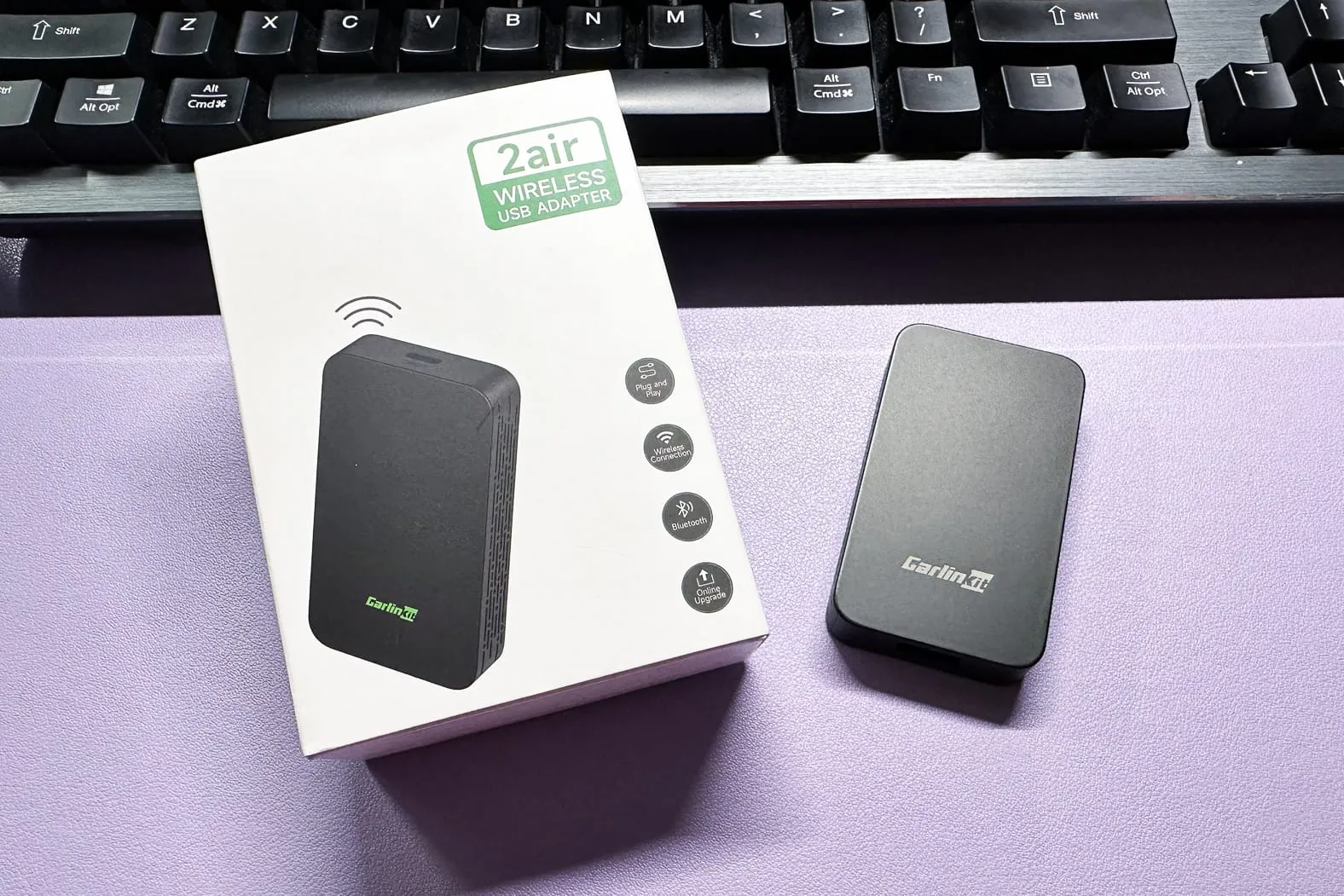
Who it's for: Drivers who want a reliable, do-it-all wireless adapter that works with both iPhone and Android — without spending a lot of money.
The CarlinKit 5.0 (also labeled 2Air on some listings) is consistently the most recommended wireless CarPlay adapter across car owner forums, tech reviewers, and real-world daily drivers — and for good reason. It supports both Apple CarPlay and Android Auto wirelessly, which means it covers your bases whether you're an iPhone household, an Android household, or somewhere in between.
What makes it stand out from the competition at this price point is its dual-channel technology. Many combo adapters route both iOS and Android connections through a single CarPlay channel, which causes compatibility issues with Android Auto. CarlinKit solved this with dedicated processing for each OS — a small engineering decision that makes a meaningful real-world difference.
Connection time averages around 10–15 seconds, GPS passthrough works reliably for navigation apps, and the companion app gives you a surprisingly rich set of customization options including audio delay compensation and display resolution tweaks.
It's not the most glamorous gadget you'll ever buy, but it's the one that'll sit quietly in your USB port and just work, every single day, without making your life complicated.
Key Features:
- Supports both wireless CarPlay and Android Auto
- Dual-channel technology for proper Android Auto compatibility
- Connects in approximately 10–15 seconds after engine start
- GPS passthrough for accurate navigation
- Works with 98% of factory-wired CarPlay systems
- USB-A and USB-C compatibility
- Companion app with customization options
Best For: Most drivers — this is the pick for anyone who wants reliable daily performance without overthinking it.
Price Range: $35–$55
Best Premium Pick: Ottocast U2-Air Pro
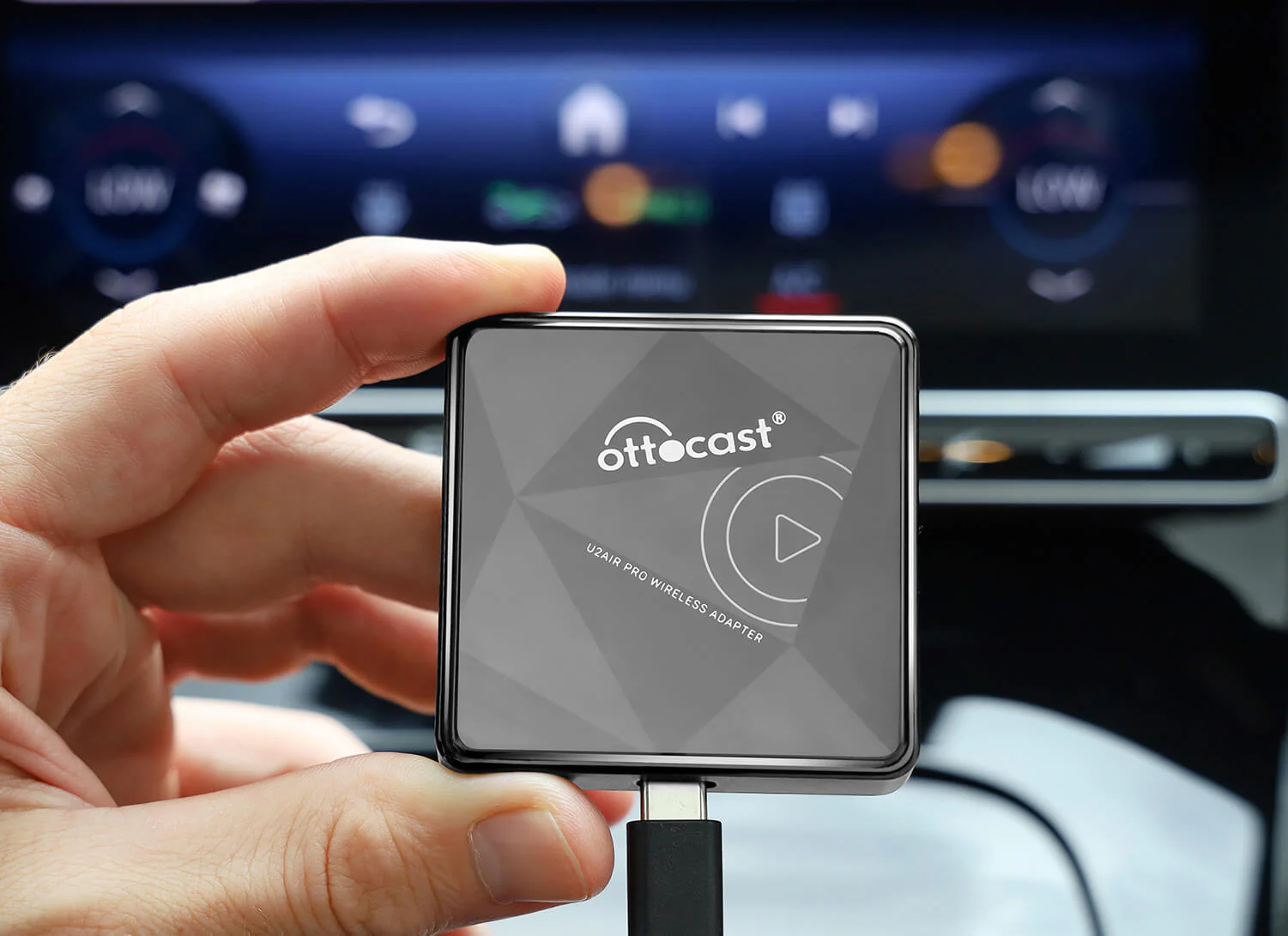
Who it's for: Anyone who shares their car and wants one-tap device switching, blazing-fast connection, and a premium build that feels like it belongs in the car.
If you share your car with a partner, family member, or colleague who uses a different phone, the Ottocast U2-Air Pro solves a problem that most adapters ignore entirely: switching between connected devices without digging through menus or re-pairing every time. There are physical buttons directly on the unit that let you switch between paired iPhones instantly — press once, done.
Beyond that convenience win, the U2-Air Pro is one of the fastest-connecting adapters on the market. Average connection time sits in the 7–8 second range, which is about as fast as this technology currently allows. Setup is plug-and-play — plug it in, pair your phone once, and it handles everything from that point forward.
The build quality also reflects its positioning as a premium option. It feels more solid than the typical plastic dongle, runs cooler during extended use, and has earned a reputation for long-term durability that budget alternatives can't consistently match.
The only real caveat: the U2-Air Pro supports Apple CarPlay only, not Android Auto. If everyone in your car uses an iPhone, that's a non-issue. If not, look at the CarlinKit 5.0 instead.
Key Features:
- Physical one-tap button for instant device switching between iPhones
- Connection time of approximately 7–8 seconds
- Plug-and-play setup, no app required
- Compact design with better-than-average thermal performance
- Apple CarPlay only (no Android Auto)
- Strong long-term reliability track record
Best For: iPhone households, especially couples or families who share a car and want seamless device handoffs.
Price Range: $65–$85
Best Budget Option: CarlinKit 3.0
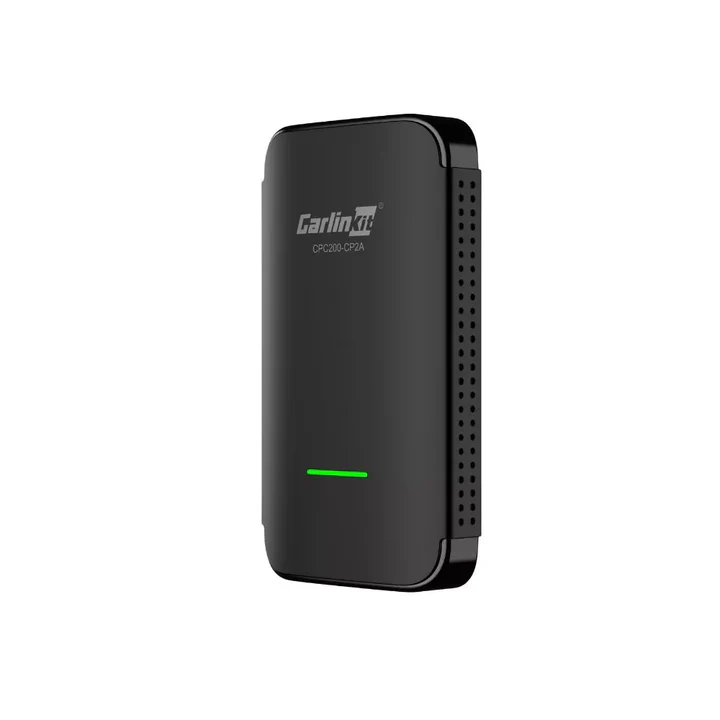
Who it's for: iPhone-only drivers who just want a reliable, affordable adapter with no frills and no frustration.
The CarlinKit 3.0 has been on the market long enough that its reputation is no longer speculative — it's earned. Thousands of long-term owners across forums, Reddit threads, and Amazon reviews consistently report the same experience: it works, it keeps working, and it doesn't cause drama.
The reason the 3.0 holds up so well against newer competitors is precisely because it doesn't try to do too much. It's a CarPlay-only adapter — no Android Auto, no dual-OS juggling, no complicated firmware. All of its processing power goes toward doing one thing well, and it shows in the stability and connection consistency.
For daily commuters who just want wireless CarPlay without spending $60+ on a premium option, the 3.0 is genuinely hard to beat. Connection times are solid, the form factor is unobtrusive, and the brand's software updates over the years have kept the experience fresh without breaking anything.
If you own an Android phone, look elsewhere. But if you're an iPhone user who just wants it to work? This is your pick.
Key Features:
- Apple CarPlay only — dedicated processing for maximum stability
- Strong real-world reliability across years of owner reports
- No app required, simple setup
- Compact, low-profile design
- Regular firmware updates via OTA
Best For: Budget-conscious iPhone users who want reliability over features.
Price Range: $25–$40
Best Compact Design: CarlinKit Mini 5 SE

Who it's for: Drivers who want a nearly invisible setup — no visible dongle, no cable, no dashboard clutter.
The CarlinKit Mini 5 SE changes the form factor conversation entirely. Where most adapters are small-but-visible dongles, the Mini 5 SE is thumb-drive-sized — it plugs flush into your USB port and essentially disappears. If you've ever felt like your car's interior looks cluttered with accessories, this one solves that.
Beyond the design win, the Mini 5 SE punches well above its size. It supports Wi-Fi 6 for noticeably smooth performance, GPS passthrough works reliably, and the configuration menu is one of the most detailed in its class. You can adjust display resolution, audio delay, Wi-Fi band preference, and more — the kind of granular control that enthusiasts appreciate.
Boot-up time is slightly slower than the Ottocast premium models, but the difference is measured in seconds, not minutes. In daily use, most people won't notice or care.
It's compatible with both USB-A and USB-C ports, which future-proofs it nicely as more cars move toward USB-C CarPlay connections.
Key Features:
- Thumb-drive form factor — nearly invisible once plugged in
- Wi-Fi 6 support for low-latency performance
- GPS passthrough confirmed
- USB-A and USB-C dual connector design
- Rich configuration menu with resolution and audio options
- Apple CarPlay support (check listing for Android Auto compatibility)
Best For: Aesthetics-conscious drivers and minimalists who want the adapter to disappear into the dashboard.
Price Range: $40–$60
Best for Android Auto Users: MMB Mini CP Adapter
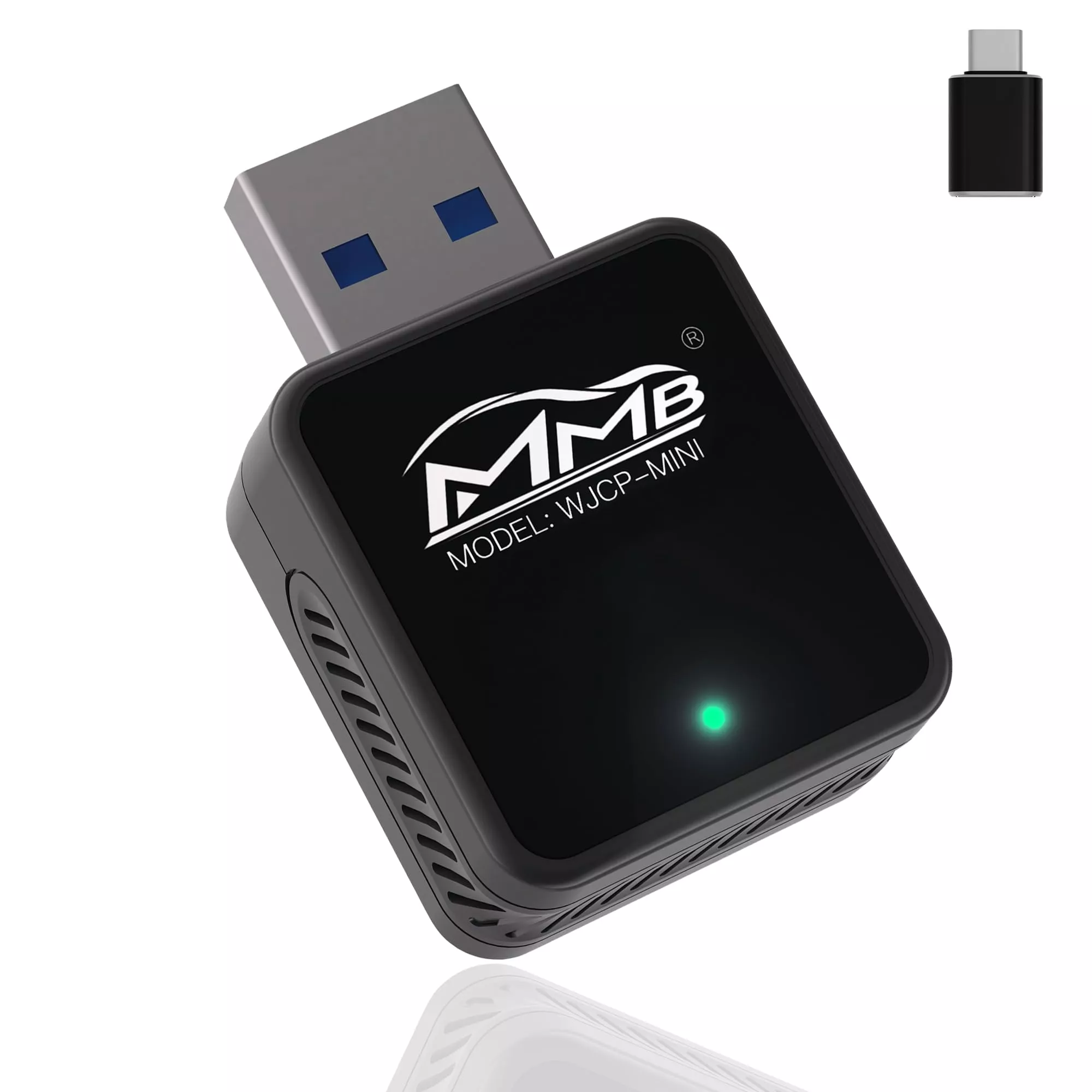
Who it's for: Android users — or mixed households — who want the smallest possible footprint with the latest Bluetooth standard.
Most of the wireless CarPlay conversation centers on iPhone users, but Android Auto drivers deserve a solid wireless option too. The MMB Mini CP Adapter stands out in this space for a few reasons, chief among them its Bluetooth 5.3 support — newer and more stable than the 5.0 found in most competing adapters at this price point.
It's also among the most compact adapters available, with both USB-A and USB-C support built in (the USB-C adapter is included in the box). Connection speed averages 7–13 seconds, it stores pairing info so it reconnects automatically every drive, and OTA firmware updates are handled through a browser configuration page rather than an app.
The configuration options — audio delay, Wi-Fi band, background selection, and more — are more detailed than you'd expect at this price. It's not quite as polished as the CarlinKit's companion app experience, but it covers the essentials well.
One note: it's CarPlay only, not a dual-OS adapter. If you need both CarPlay and Android Auto from the same device, the CarlinKit 5.0 remains the better call.
Key Features:
- Bluetooth 5.3 for better connection stability than 5.0 competitors
- Ultra-compact design with both USB-A and USB-C support
- Connection time of 7–13 seconds
- Auto-reconnects at startup with saved pairing memory
- OTA firmware updates via browser
- Customizable audio delay, Wi-Fi band, and display settings
Best For: Drivers who prioritize compactness and want the latest Bluetooth standard at a fair price.
Price Range: $30–$45
Wired vs. Wireless CarPlay: Is the Upgrade Actually Worth It?
Honest answer: for most people, yes — but it's worth knowing the trade-offs.
Wireless CarPlay introduces a small, measurable amount of latency compared to a wired connection. If you're an audiophile playing lossless tracks through your car's speakers, some users report that they can detect slight audio compression over wireless. For podcasts, playlists, navigation, and calls — which is how 95% of CarPlay users actually use the feature — the difference is effectively imperceptible.
What you gain is real: no cable tangling, no forgetting to plug in, no micro-damage to your lightning or USB-C port from plugging in and yanking out daily. Your phone can charge wirelessly on a pad, sit in a cupholder, or go in your pocket — wherever you want — without any wired commitment to the dashboard.
Most daily drivers who make the switch describe it as one of those quality-of-life upgrades that, in retrospect, they can't believe they waited so long to do.
Do All Cars Support Wireless CarPlay Adapters?
There's one compatibility requirement worth confirming before you buy: your car must already have factory wired CarPlay. These adapters don't add CarPlay to a car that doesn't have it — they convert an existing wired CarPlay system into a wireless one.
If your car has a USB port labeled for CarPlay and you've used wired CarPlay before, you're almost certainly compatible. The leading brands (CarlinKit, Ottocast, MMB) all claim compatibility with 98% or more of factory wired CarPlay systems. If you're unsure, check your car's infotainment settings or the brand's compatibility checker on their website.
One more thing: if your car already has built-in wireless CarPlay from the factory, you don't need an adapter. Lucky you.
Final Verdict
For most drivers, the CarlinKit 5.0 is the answer. It's affordable, reliable, dual-OS compatible, and has the kind of long-term track record that's hard to argue with. If you exclusively use an iPhone and want to spend less, the CarlinKit 3.0 is a proven, no-fuss option that's been working quietly for thousands of people for years. And if budget isn't a concern and you share your car with another iPhone user, the Ottocast U2-Air Pro's physical device-switching button alone makes it worth the premium.
Whichever one you choose, you'll wonder why you ever put up with the cable.